> For the complete documentation index, see [llms.txt](https://docs.3scloud.io/llms.txt). Markdown versions of documentation pages are available by appending `.md` to page URLs; this page is available as [Markdown](https://docs.3scloud.io/3s-cloud-workstation/tutorial/shut-down-the-machine.md).
# Shut down the machine
Once you have completed your tasks and retrieved your output files, follow these steps to end your session and stop billing.
### **Step 1: Return to Dashboard**
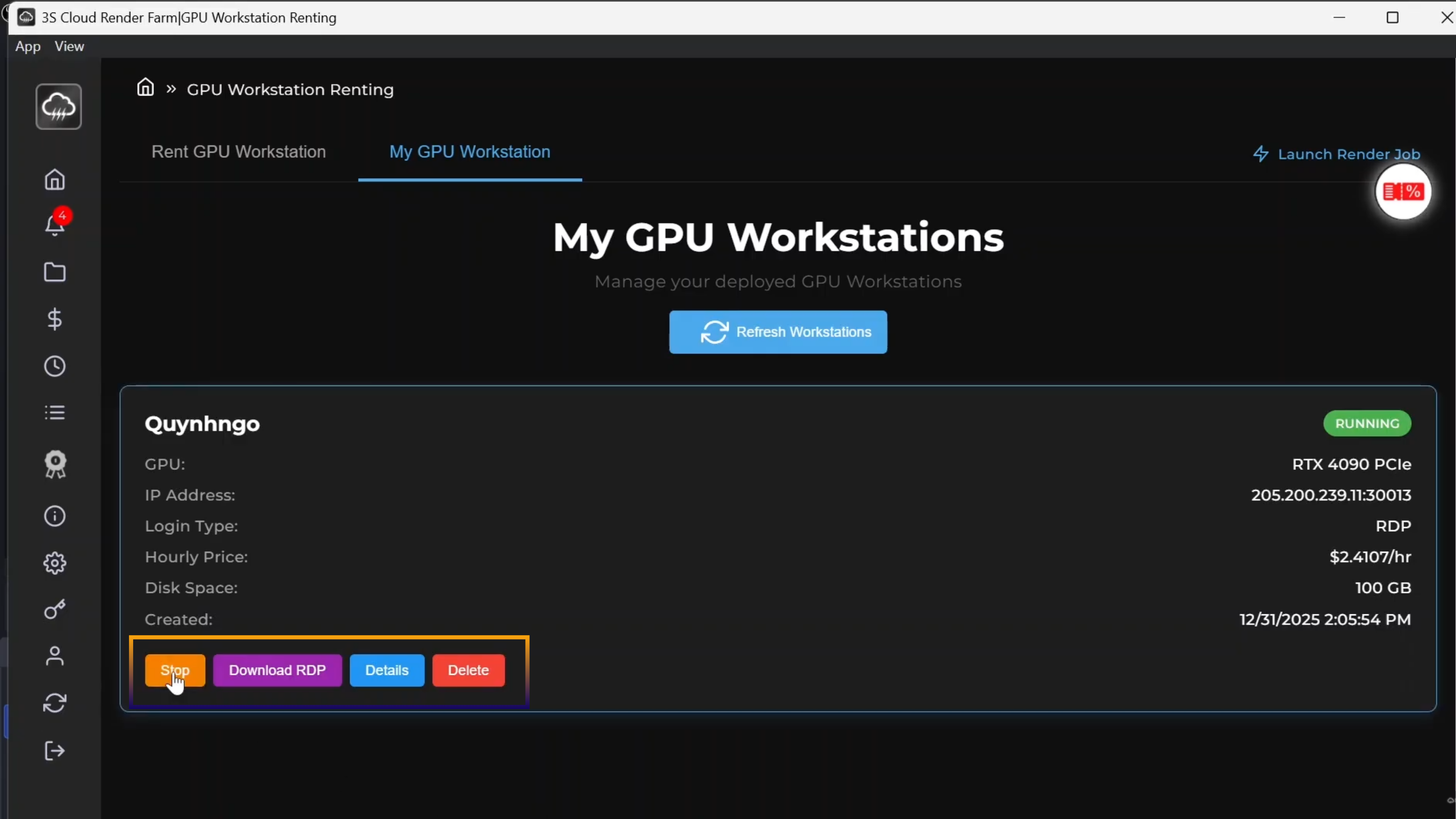
Go back to the My Workstation tab on the 3S Cloud Console.
### **Step 2: Stop the Instance**
Locate the machine you were using and click the Stop button. This shuts down the operating system.
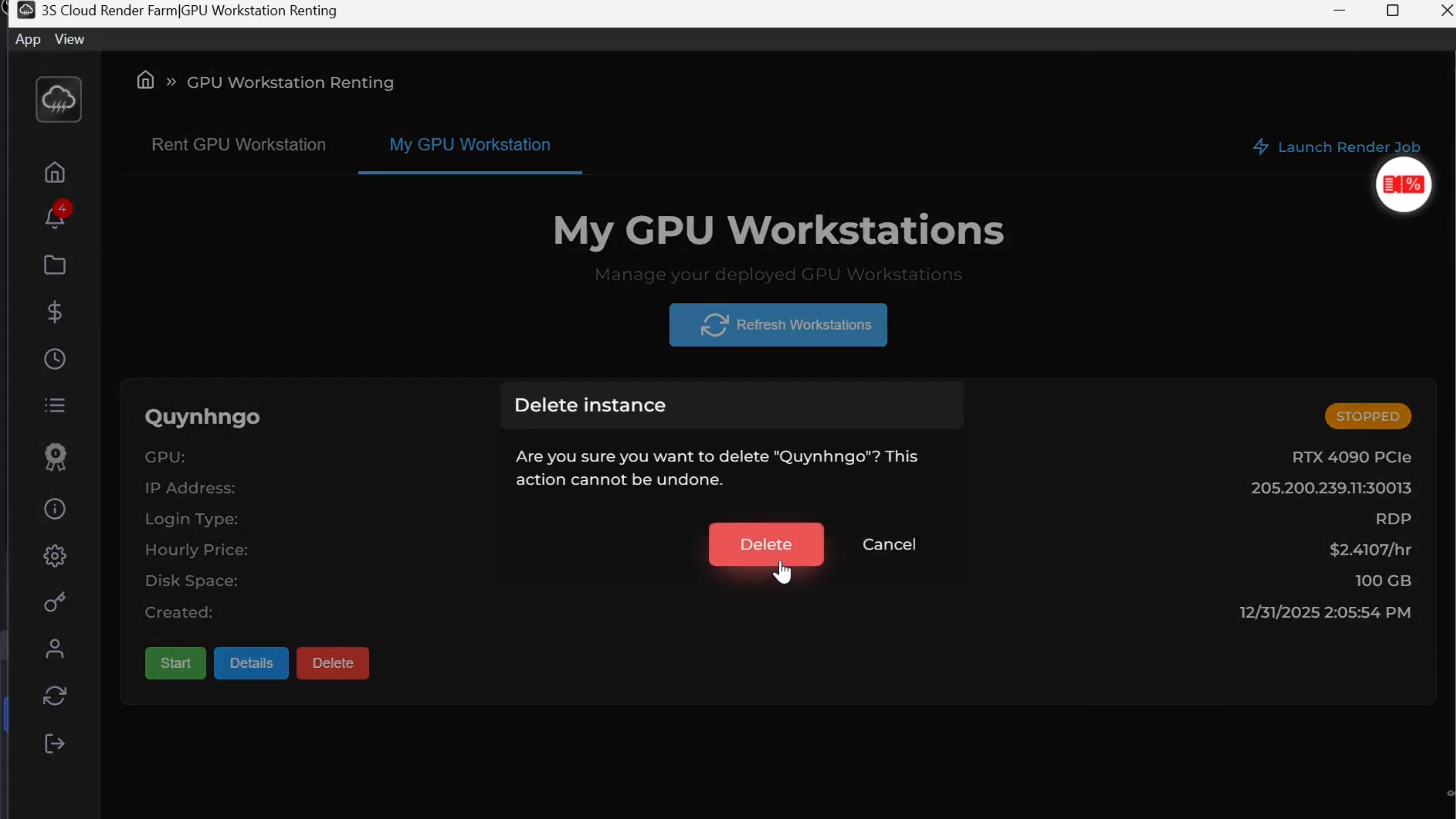
### **Step 3: Delete the Instance**
If you no longer need this specific machine configuration or data, click the Delete button to remove the instance entirely from your account.
{% hint style="warning" %}
💰 Billing Note: You only pay for the time you use. It is crucial to Stop or Delete your workstation immediately after finishing your work to avoid incurring unnecessary charges.
{% endhint %}