> For the complete documentation index, see [llms.txt](https://docs.3scloud.io/llms.txt). Markdown versions of documentation pages are available by appending `.md` to page URLs; this page is available as [Markdown](https://docs.3scloud.io/3s-cloud-render-farm/payment-and-billing/payment-and-billing.md).

# Payment & Billing

To render your scenes on our system, you need to top up your balance by purchasing credits.

{% hint style="warning" %}
**Note**: 1 credit = 1 USD
{% endhint %}

**Buy Credits**

1. **Enter Payment page**

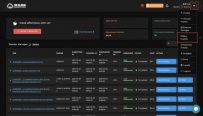
* Click "Buy Credits" to go to the Payment page.

<figure><img src="https://3sfarm.com/wp-content/uploads/2020/09/rsz_buy-credits-203x116.jpeg" alt="Buy credits" height="408" width="715"><figcaption></figcaption></figure>

2. **Place an order**

* Enter the number of credits you want to buy and the promotion code if you have one.
* Click the Place Order button to submit your order's information.

<figure><img src="https://3sfarm.com/wp-content/uploads/2020/09/place-an-order-228x107.jpeg" alt="Place an order" height="337" width="715"><figcaption></figcaption></figure>

3. **Select Payment method**

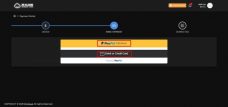
* Now we support 2 Payment methods via Paypal or Debit/ Credit card. In the future, more means of payment will be integrated into our system.

<figure><img src="https://3sfarm.com/wp-content/uploads/2020/09/select-payment-method-228x107.jpeg" alt="Select payment method" height="336" width="715"><figcaption></figcaption></figure>

4. **Complete Payment**

* **Via Paypal**
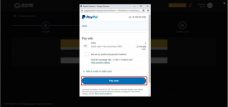
  * Please check the information and click the Pay Now button to complete the payment.

<figure><img src="https://3sfarm.com/wp-content/uploads/2020/09/paypal-228x107.jpeg" alt="Make payments via Paypal" height="336" width="715"><figcaption></figcaption></figure>

* **Visa Debit or Credit card**
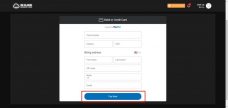
  * Please enter your information and click the Pay Now button to complete the payment.

<figure><img src="https://3sfarm.com/wp-content/uploads/2020/09/visa-or-credit-card-228x108.jpeg" alt="Make payments via visa debit or credit card" height="338" width="715"><figcaption></figcaption></figure>

**Payment History & Billing**

1. **Click "Payment History"**

<figure><img src="https://3sfarm.com/wp-content/uploads/2020/09/rsz_payment-history-203x116.jpeg" alt="Payment History" height="408" width="715"><figcaption></figcaption></figure>

2. **Track your transactions in this screen**

<figure><img src="https://3sfarm.com/wp-content/uploads/2020/09/render-history-203x116.jpeg" alt="Render history" height="408" width="715"><figcaption></figcaption></figure>

[3S Cloud Render Farm](https://3sfarm.com/) currently supports [Blender](https://3sfarm.com/blender-render-farm/), [Houdini](https://3sfarm.com/houdini-render-farm/), [Cinema 4D](https://3sfarm.com/cinema-4d-render-farm/), [Maya](https://3sfarm.com/autodesk-maya-render-farm/), [3ds Max](https://3sfarm.com/3dsmax-render-farm/).

If you have more questions, do not hesitate to [contact 3S](https://3sfarm.com/contact/) for further support.